
Introduction to Computer Software
Computer software is one of the most important parts of a computer system. Without software, a computer is just a machine made of hardware components like CPU, keyboard, monitor, and memory—it cannot perform any meaningful task. Software gives instructions to the hardware and tells it what to do and how to do it.
In simple words, software is a collection of programs and instructions that help a computer perform specific tasks.
This article is designed in a structured way so that:
- Class 6–8 students can understand the basics easily
- DCA / PGDCA students can revise concepts clearly
- Engineering students can use it as a conceptual foundation
What is Software?
Software refers to a set of programs, procedures, and related data that instruct the computer to perform a task.
Definition:
Software is a logical component of a computer system that directs the hardware to perform operations.
Key Characteristics of Software:
- It is intangible (cannot be touched)
- It is developed, not manufactured
- It does not wear out like hardware
- It can be updated and modified
Difference Between Hardware and Software
A computer system works only when hardware and software function together.
Example:
- Hardware: Keyboard
- Software: Word processor
When you type something on the keyboard, the software processes it and displays it on the screen.
Simple Understanding:
- Hardware = Body
- Software = Brain
| S. No. | Basis | Hardware | Software |
|---|---|---|---|
| 1 | Definition | Physical components of a computer that can be touched | Set of programs and instructions that control hardware |
| 2 | Nature | Tangible (can be seen and touched) | Intangible (cannot be touched) |
| 3 | Creation | Manufactured in factories | Developed using programming |
| 4 | Wear and Tear | Can wear out or get damaged over time | Does not wear out, but can become outdated |
| 5 | Dependency | Cannot work without software | Cannot work without hardware |
| 6 | Modification | Difficult and costly to change | Easy to update and modify |
| 7 | Examples | CPU, Monitor, Keyboard, Mouse | Windows, MS Word, Chrome |
| 8 | Function | Performs physical operations | Gives instructions to hardware |
| 9 | Location | Exists physically inside or outside the computer | Stored in memory or storage devices |
| 10 | Damage | Can be physically damaged (break, burn, etc.) | Can be affected by viruses or bugs |
Types of Software
Software is mainly divided into two major categories:
1. System Software
2. Application Software
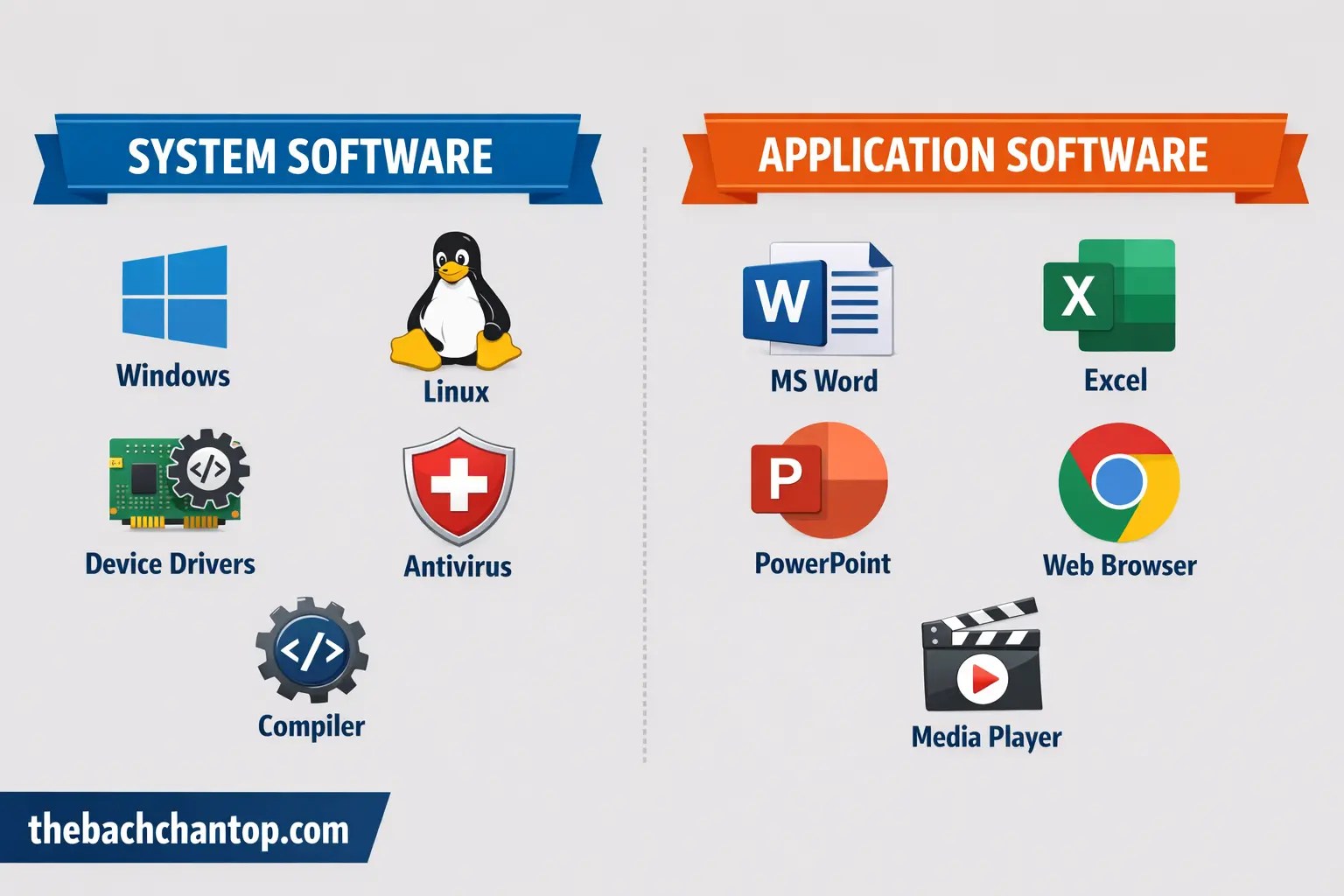
System Software
System software is the type of software that controls and manages the hardware of a computer. It acts as an interface between the user and the computer hardware.
Main Functions:
- Controls hardware operations
- Manages system resources
- Provides a platform for application software
Types of System Software:
1. Operating System (OS)
The operating system is the most important system software.
Definition:
An operating system is a program that acts as an interface between the user and computer hardware.
Examples:
- Windows
- Linux
- macOS
- Android
Functions of Operating System:
- Process management
- Memory management
- File management
- Device management
- Security
2. Device Drivers
Device drivers are programs that allow the operating system to communicate with hardware devices.
Examples:
- Printer driver
- Graphics driver
- Sound driver
3. Utility Software
Utility software helps in maintaining and optimizing the computer system.
Examples:
- Antivirus software
- Disk cleanup tools
- Backup software
Functions:
- Protects system from viruses
- Improves performance
- Manages files
4. Language Translators
These are programs that convert programming languages into machine language.
Types:
(a) Compiler
- Converts entire program at once
- Faster execution
(b) Interpreter
- Converts line by line
- Easier debugging
(c) Assembler
- Converts assembly language into machine code
Application Software
Application software is designed to perform specific tasks for users.
Examples:
- MS Word (for typing)
- Excel (for calculations)
- PowerPoint (for presentations)
- Web browsers
Types of Application Software
1. General Purpose Software
Used for common tasks.
Examples:
- Word processing
- Spreadsheet
- Presentation tools
2. Specific Purpose Software
Designed for a specific task.
Examples:
- Billing software
- Railway reservation system
- School management system
3. Customized Software
Developed according to user needs.
Examples:
- Bank management system
- Hospital management software
Programming Software
Programming software helps developers write, test, and debug programs.
Examples:
- Code editors
- Compilers
- Debuggers
Software Development Process
Software is developed using a step-by-step process known as the Software Development Life Cycle (SDLC).
Phases of SDLC:
1. Requirement Analysis
Understanding what the user needs.
2. System Design
Planning how the software will work.
3. Coding
Writing the actual program.
4. Testing
Checking for errors.
5. Implementation
Installing software for users.
6. Maintenance
Updating and fixing issues.
Programming Languages
Programming languages are used to write software.
Types of Programming Languages:
1. Low-Level Language
(a) Machine Language
- Binary (0 and 1)
- Difficult to understand
(b) Assembly Language
- Uses symbols
- Easier than machine language
2. High-Level Language
These are easy to read and write.
Examples:
- C
- C++
- Java
- Python
Software Classification Based on License
1. Open Source Software
- Free to use and modify
- Source code is available
Examples:
- Linux
- Mozilla Firefox
2. Proprietary Software
- Owned by companies
- Paid software
Examples:
- Windows
- MS Office
3. Freeware
- Free to use
- Cannot modify
4. Shareware
- Free trial version
- Limited features
Importance of Software
Software plays a vital role in modern life.
Uses:
- Education
- Banking
- Healthcare
- Communication
- Entertainment
Software in Different Fields
1. Education
- Online classes
- E-learning platforms
2. Business
- Accounting software
- Inventory management
3. Healthcare
- Patient management systems
- Diagnostic software
4. Entertainment
- Games
- Music and video apps
Software Maintenance
After development, software needs regular maintenance.
Types:
1. Corrective Maintenance
Fixing errors
2. Adaptive Maintenance
Updating according to environment
3. Perfective Maintenance
Improving performance
4. Preventive Maintenance
Avoiding future problems
Software Testing
Testing ensures that software works correctly.
Types of Testing:
- Unit testing
- Integration testing
- System testing
- Acceptance testing
Software Engineering
Software engineering is the systematic approach to developing software.
Goals:
- Reliability
- Efficiency
- Maintainability
Advantages of Software
- Makes tasks easier
- Saves time
- Increases productivity
- Improves accuracy
Disadvantages of Software
- Security risks (viruses, hacking)
- Requires updates
- Can be expensive
- Bugs and errors
Software Security
Software must be protected from threats.
Common Threats:
- Viruses
- Malware
- Ransomware
Protection Methods:
- Antivirus software
- Firewall
- Regular updates
Software Updates
Updates improve software performance and security.
Types:
- Minor updates
- Major updates
Future of Software
Software is evolving rapidly.
Trends:
- Artificial Intelligence
- Cloud computing
- Mobile applications
- Automation
Difference Between System Software and Application Software
| Feature | System Software | Application Software |
|---|---|---|
| Purpose | Controls system | Performs tasks |
| User Interaction | Less | More |
| Examples | OS, drivers | MS Word, Excel |
Real-Life Examples of Software Use
- ATM machines
- Mobile apps
- Online shopping
- Social media
Conclusion
Computer software is the backbone of modern computing. It makes computers useful and powerful. From simple school-level understanding to advanced engineering concepts, software plays a crucial role in every field.
By understanding software basics, students can build a strong foundation for future studies in computer science, IT, and engineering.


